Why AI Performs Differently in the Real World vs Controlled Environments
In a demo or benchmark, the input looks a lot like the training data: clean text, well-lit images, complete forms. In production, users paste half a paragraph, upload a blurry screenshot, or leave key fields blank—and the model’s confidence can stay high even when it’s wrong.
The gap usually starts with evaluation. Offline tests often measure “average accuracy” on a tidy dataset, while the real product needs reliability on edge cases: new slang, rare workflows, region-specific rules, or a sudden news event that shifts what people ask. Then constraints kick in. If you have to hit 200ms latency or cap spend per request, you may shorten context, use a smaller model, or skip checks, and quality drops in ways the benchmark never showed.
That difference is the starting point: treat “works in the lab” as a question—what changes when real inputs, real costs, and real users show up?
Data Limitations: Quality, Bias, and Availability Issues
When real users show up, the first thing that changes is the data. Logs arrive with missing fields, duplicated records, outdated labels, and “other” buckets that hide the very cases your support team cares about. If you trained on curated examples, the model learned a cleaner world than the one your product runs in, so it can fail loudly on the messy long tail while still looking fine on averages.
Bias often enters through coverage, not intent. If most of your training set comes from one region, one device type, or your power users, the feature may underperform for new markets, accessibility workflows, or low-quality inputs like cheap microphones. The practical snag is availability: the data you need may be gated by privacy rules, retention limits, or simply not captured in your event schema, and retrofitting instrumentation takes weeks.
Before tuning a model, pressure-test the dataset: who’s missing, what’s mislabeled, and what inputs your product will see that your training never did.
Model Constraints: Complexity, Generalization, and Overfitting
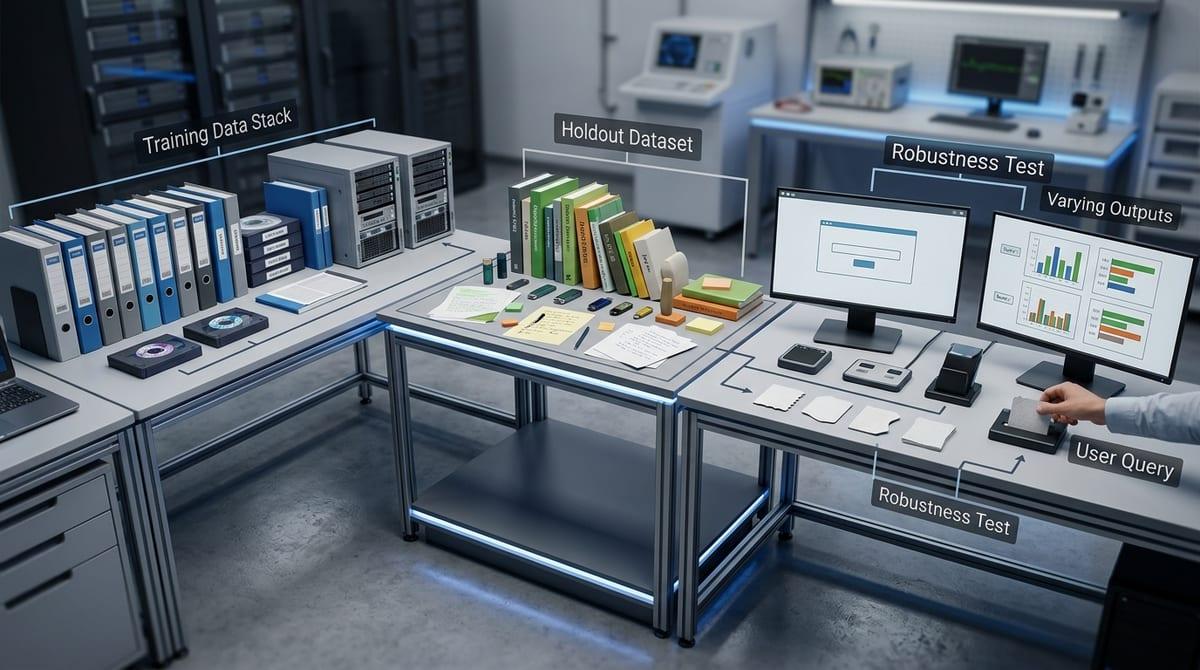
Pressure-testing the dataset helps, but you can still ship a model that looks great in tests and falls apart on the first weird input. A common pattern is a model that learned the “shape” of your training set too well: it nails familiar phrasing and formats, then guesses confidently when users phrase things differently or combine two intents in one request.
More complexity doesn’t automatically fix that. Larger models can generalize better, but they also make behavior harder to predict, harder to explain to stakeholders, and more expensive to run. Teams often respond by fine-tuning aggressively on a small slice of recent tickets or synthetic examples. If those examples don’t match production variety, you get overfitting: offline metrics climb while rare workflows and new categories degrade.
Plan for this with holdouts that reflect real traffic, and tests that measure stability under small input changes—because the environment will keep changing even after you ship.
Environmental Uncertainty and Changing Conditions
That “keep changing” part shows up fast in production. A support bot that worked last month starts missing intents after a policy update, a new pricing tier, or a UI change that nudges users to paste different snippets. Even small upstream shifts matter: a new mobile OS version changes microphone quality, an OCR vendor updates its model, or a backend team renames a field and suddenly “unknown” becomes a common value.
If the input mix shifts, your model’s errors shift too. Seasonality drives different requests. A news event floods you with terms the model never saw. Bad actors probe for prompt injections once the feature gets attention. The hard part is timing: you often notice the drop before you can label enough fresh examples to explain it, and retraining cycles compete with release schedules.
Keeping quality stable usually means tight monitoring, fast rollbacks, and enough headroom in your stack to add checks without blowing latency or cost.
Infrastructure and Resource Limitations

That headroom is where many AI features break. In staging, you can run the largest model, keep full context, and retry slow calls. In production, you hit P95 latency budgets, rate limits, and noisy neighbors, so you trim prompts, drop retrieval steps, or fall back to a weaker model—and users experience that as “it got worse,” even though nothing changed in your evaluation set.
Resource limits show up as uneven quality. A burst of traffic can force queueing, timeouts, or aggressive caching, which means two users asking the same thing get different answers depending on load. Multi-region rollout adds more variance: model endpoints, vector search, and feature stores may not be co-located, and a few extra network hops can wipe out your margin.
If per-request spend is capped, you’ll need explicit policies for when to use heavier checks, when to degrade gracefully, and when to block unsafe or unverified outputs—because humans will still treat a fast answer as a confident one.
Human Factors: Trust, Misuse, and Interpretation Challenges
That “fast answer = confident one” problem gets worse once people build habits around the feature. If the UI presents a single clean response, users will stop checking sources, paste outputs into customer emails, or accept a classification without opening the underlying record. When it’s wrong, it often fails in the most expensive way: a confident-sounding answer that looks plausible enough to ship.
Misuse is rarely malicious. A sales rep will prompt it for “legal-friendly” copy, a support agent will use it outside its intended product scope, or an engineer will treat a model score like a rule. Then the model’s limits turn into workflow bugs. Prompt injections and adversarial inputs show up too, but the everyday risk is mismatch: the model predicts text, while stakeholders expect a decision.
You need clear uncertainty signals, grounded citations when possible, and an easy escalation path to a human or a fallback system. That costs design time, training, and ongoing support—and it’s the bridge from “model quality” to reliable product behavior.
Bridging the Gap: How to Improve Real-World AI Performance
That bridge usually starts as a rollout plan, not a model change. Ship behind a flag, route a small slice of traffic, and log the inputs, outputs, latency, and user actions that follow—so you can tie failures to concrete moments like “edited the answer,” “clicked escalate,” or “abandoned.”
Then make evaluation match reality. Build a test set from recent production traces, measure by segment (device, locale, workflow), and add checks for instability: small prompt changes, missing fields, OCR noise. If you can’t afford the strongest path every time, make routing explicit: when to use retrieval, when to fall back, and when to block and ask for clarification.
Finally, invest in operations: drift alerts, safe defaults, quick rollbacks, and a human review loop. It will slow teams down at first, and it should—because reliability is an engineering system, not a score.