You’re hitting dates, but the plan keeps breaking
You can hit this week’s delivery dates and still feel like the plan is made of paper. A customer pull-in, a late part, one technician out sick, and suddenly your “approved” schedule turns into a set of exceptions, side deals, and overtime calls.
Spreadsheets don’t fail because the math is wrong. They fail because the real work has rules that live in people’s heads: skill match, setup time, batching, union limits, changeover pain, promised ship windows. When those rules collide, the sheet can’t show which promise you just broke.
When the spreadsheet turns into firefighting signals
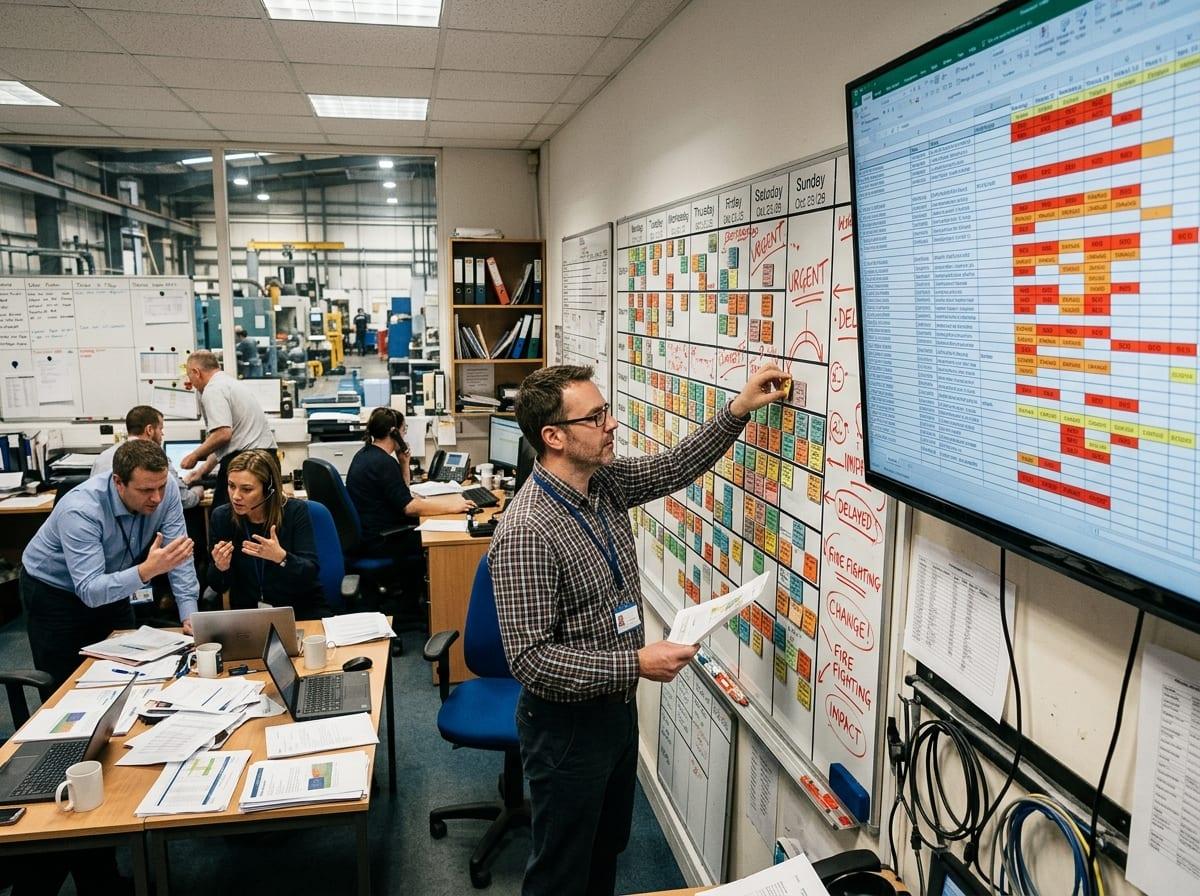
That’s when the spreadsheet stops being a plan and starts acting like an alarm panel. You open it and scan for the red cells: late orders, missing hours, overtime creeping in. The “fix” becomes a fast set of swaps—move Job A to Tuesday, pull in Job B, split the crew—because it’s the only way to make the numbers look plausible before the next call.
But the sheet can’t tell you which constraint you just violated. If you drag work onto a team to protect a ship date, the hidden cost might be a setup you didn’t budget, a skill gap that forces rework, or a bottleneck that now pushes three other jobs into overtime. In practice, you end up managing by spreadsheet versions, side chats, and tacit rules that never make it into the file.
So what would “AI optimization” really do differently?
If your rules become inputs, the day looks different. Instead of dragging jobs around until the red cells quiet down, an optimization engine generates a schedule that satisfies the rules you give it, then shows you what has to change when reality shifts. If one technician calls out, it can re-run the plan in minutes and surface the few jobs that truly need a move, along with the “why” (skill coverage, setup sequence, max overtime, due-date risk).
That’s the real difference: you stop debating versions and start choosing between explicit options. For example, it can show two feasible plans: one protects ship dates but adds four hours of overtime; another keeps labor flat but slips two low-priority orders. The catch is that it won’t invent missing rules. If setup time varies by product family and nobody agrees on the numbers, you’ll still argue—just faster and with clearer costs.
Where AI pays off first: the few decisions that move time, cost, and capacity
Those clearer costs are exactly why AI tends to pay off in a few high-leverage decisions, not everywhere at once. The first is day-to-day scheduling: assigning jobs to people and time slots while respecting skill coverage, promised windows, and max overtime. If your team currently “makes it work” by memory and side chats, even a basic optimizer can cut the number of reshuffles because it can re-plan quickly when a part is late or someone is out.
The second is shift and crew planning. When demand spikes, the real question is whether you add overtime, add a temp, move a cross-trained person, or push work out. A model can compare those options in one view, using your pay rules and availability instead of a rough guess.
The third is routing and sequencing: which machine, which line, which technician, and in what order. This is where setup and changeovers quietly eat capacity. The hard part is that you have to write those setup rules down. If “it depends” lives only in one lead’s head, the tool will either ignore it or force a cleanup project before you see gains.
To make any of this work, you have to decide which constraints are non-negotiable and which are allowed to bend.
What you must decide before any model can help

In a typical scheduling meeting, the fastest way to unblock a decision is to say, “This one can’t move,” and quietly move everything else. A model can’t rely on that kind of silent hierarchy. Before it can generate usable options, you have to spell out what is truly hard (can’t violate) versus soft (can violate with a penalty): safety and compliance limits, skill coverage, machine availability, customer promise windows, max overtime, and any “must-run-together” batches.
You also have to decide what you’re optimizing for on purpose. If you say “hit every due date,” the model will often spend overtime and create churn to do it. If you say “minimize overtime,” it will accept late work unless you price lateness high enough. That pricing is a management decision, not a math decision.
Finally, define who can override the plan and when. If supervisors can freely swap jobs without recording why, you’ll lose the feedback that makes the next plan better.
Data reality check: what you need, what you can approximate, what will break it
Once you decide which constraints can bend, the next meeting usually runs into a simpler problem: you can’t feed a model “we just know” and expect stable plans. You need a minimum set of fields that stay true day to day: jobs with due dates and sizes, a calendar of who’s available, a skills/qualification map, and the real capacity limits (machines, bays, lines). Without those, the optimizer will still output something, but it won’t match the floor.
You can approximate more than people think. Start with rough setup times by product family, a simple travel/hand-off buffer, and a short list of “never together” conflicts. Use ranges if the numbers vary. But pick an owner who will settle arguments, because “it depends” will otherwise stall the pilot.
What breaks it is silent exceptions: unrecorded swaps, phantom capacity, missing downtime, and priority changes that don’t get logged. If the data can’t explain yesterday’s plan, it won’t improve tomorrow’s.
Picking a first pilot without overpromising outcomes
Once you admit “yesterday’s plan” can’t be explained from the data, the first pilot has to be narrow enough that you can actually close that loop. Pick one planning decision you repeat constantly and argue about weekly: one workcenter, one shift, or one product family with painful setups. If the pilot needs every edge case on day one, you’ll spend months cleaning data and still end up with a schedule no supervisor trusts.
Define success as a few measurable deltas, not a transformation: fewer same-day reshuffles, fewer hours of overtime to hit the same ship mix, better load balance across teams, or fewer late jobs on the constraint. Run it in “shadow mode” for two to four weeks—generate options, keep the human plan, and log where the model is wrong. The cost is real: someone must own rules and data fixes daily, or the pilot will stall and look like the model failed.
When the pilot can explain the overrides, you’re ready to let it propose the plan.
What “better allocation” looks like in week 4, not year 4
Letting it propose the plan usually starts with a small, visible change: fewer “who moved this?” moments. By week 4, better allocation looks like a schedule that comes with reasons (skill coverage, setup sequence, due-date risk) and a short list of the two or three decisions that actually drive the day—what to start first on the constraint, where overtime truly buys back a ship date, and which jobs should not be split.
You’ll still override it. The difference is you log the override and see a pattern: one missing downtime code, one bad setup assumption, one customer priority that changes twice a week. The real cost is discipline—someone has to clean those inputs daily—or you’ll drift back to side chats.