When your process map feels like fiction
You walk the floor and the work doesn’t follow the swimlane diagram. A tote waits by a station because someone is pulled to cover a break. A form gets “completed” in the system, then sits in a tray until the right person circles back. Rework happens quietly, and the log records a clean handoff that never looked clean in real life.
That gap makes improvement feel like guesswork. Time studies take weeks, and observers change behavior the moment they show up. System events help, but they miss the in-between: waiting, searching, double-checking, and workarounds.
The temptation is to buy visibility fast, but cameras introduce cost, placement limits, and privacy pushback. The real question is whether computer vision can capture the missing steps you actually need to measure.
What computer vision can actually “see” in a process
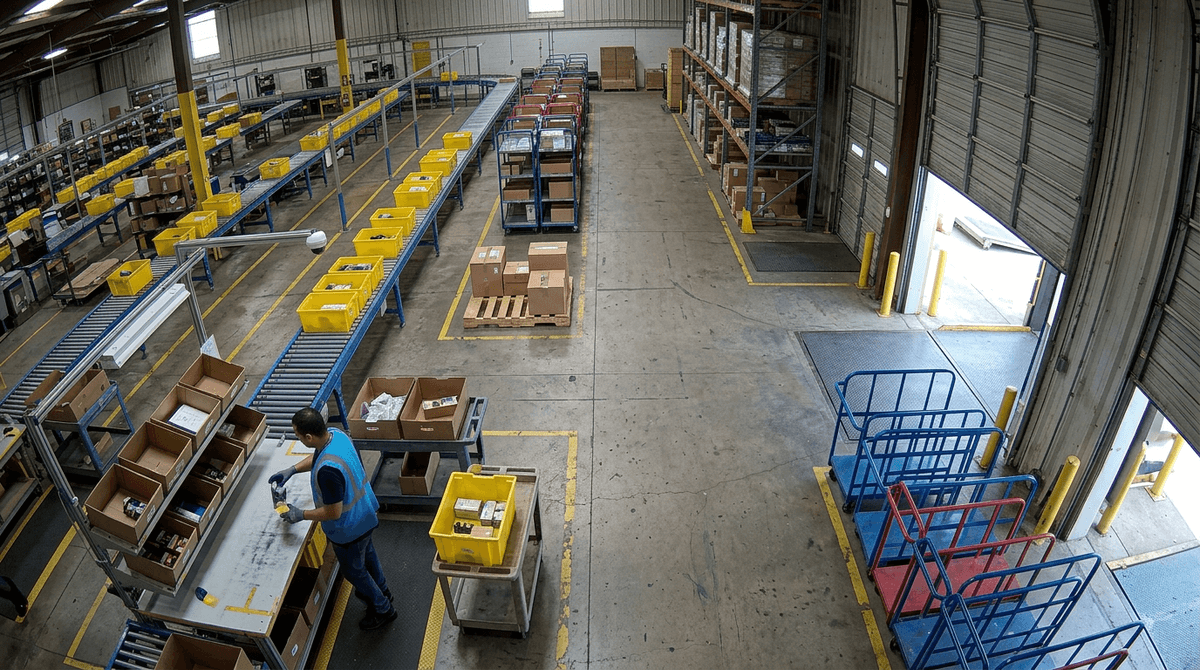
Whether it can depends on what you’re asking it to “see.” In practice, computer vision is good at spotting visible state changes: a person arrives at a station, a tote moves from one zone to another, a pallet sits idle, a door opens, a cart queues, an item gets picked and placed. From that, you can measure cycle time between steps, waiting time, rework loops that show up as repeat visits, and travel that never hits a system log.
It struggles when the step is mostly mental or hidden. If the “work” is reading a screen, checking a number twice, or fixing something inside a bin, the camera may only show a person standing still. It also won’t reliably tell why a delay happened without another signal.
Accuracy often comes down to boring details—lighting, distance, camera angle, and whether bodies or equipment block the view.
Start with the process questions your logs can’t answer
That short list usually starts the same way: you can tell when a transaction hit the system, but you can’t tell what happened in the minutes—or hours—around it. A pick was “confirmed,” but did the operator wait for a replenishment tote, hunt for a scanner, or detour to ask a lead a question? A form was “submitted,” but did it bounce back for missing fields, sit in a tray, then get re-keyed later?
Write your questions as “how often” and “how long,” tied to a visible action. How long do carts queue before a station opens up? How often does work loop back to the same bench in a shift? How much time is spent walking versus working at the surface? If you can’t point to the moment someone arrives, leaves, places, picks, scans, or parks, you’re setting yourself up to argue about interpretation instead of measuring behavior.
There’s a cost here: the tighter the question, the more you may need to narrow the camera view to just one zone or one station, which can miss upstream causes. That’s fine. The goal is to pick questions where “good enough” video signals will change a decision, not questions that require perfect intent detection.
Walking the floor: camera placement, occlusion, and what ruins accuracy
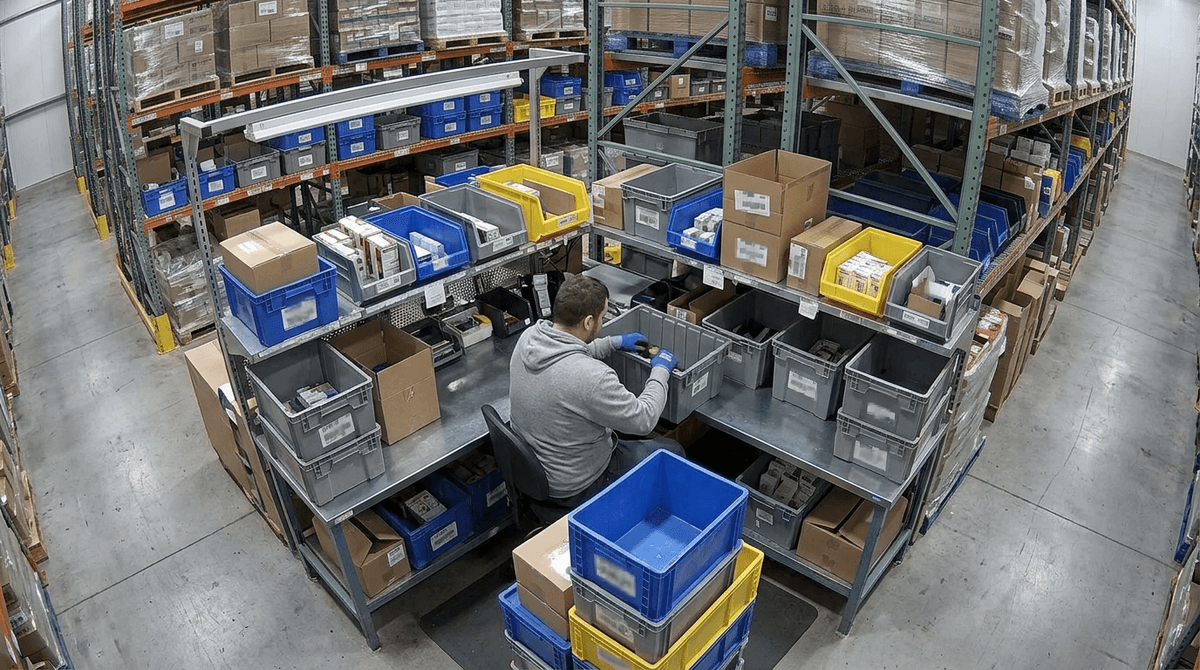
“Good enough” only stays good enough if the camera can keep seeing the same action the same way, all shift long. On a walk-through, the first surprise is how quickly a clear line of sight disappears: a parked pallet blocks the aisle, a lift mast sits in the frame, someone works with their back to the bench, a tote stack hides the pick face.
Start by marking the exact spots where your visible actions happen—arrive/leave, pick/place, park/queue—then stand where a camera would mount and watch for occlusion. If the hands matter, a high corner view often fails; you may need a closer angle, which increases the number of cameras and the wiring effort. Lighting is the other accuracy killer. Glare off shrink wrap, a dock door opening to daylight, or a flickering fixture can turn “object moved” into noise.
Expect operational constraints. You may not be allowed to mount to certain structures, and vibration from equipment can blur frames. The more you tighten the field of view to protect accuracy, the more likely people will ask what’s being recorded and why.
Privacy and labor concerns before IT (or HR) says no
Those questions about what’s being recorded and why show up fast, and they get sharper when the camera points anywhere near a person’s face or hands. If the floor has a union presence, or even a history of “measurement = discipline,” you can lose the project before you’ve learned anything. Treat the first conversation as a scope conversation: what you will measure (queues, travel, repeat visits), what you won’t measure (individual performance, off-task time), and what decisions the data will and won’t support.
Make the privacy choices concrete. Disable audio. Limit the field of view to the zone you mapped. Use masking or blurring if people must be in frame, and set a short retention window with named owners for access. The real difficulty is operational: video storage and secure review workflows cost money, and “only for improvement” falls apart if supervisors can pull clips informally.
Once those guardrails are written down, you can design a pilot that answers a few questions without creating a surveillance program.
Designing a pilot that survives the steering committee
Those guardrails are what you’ll be asked to defend when someone in the room says, “So what exactly are we buying?” A steering-committee-safe pilot reads like a test plan, not a vision pitch: one area, two to three measurable questions, and a baseline you can compare against. “Reduce queue time” is vague; “measure median cart wait at Station 4 by shift and confirm whether waiting is driven by changeovers or replenishment gaps” is something you can act on.
Define success as a decision, not a dashboard. If accuracy drops below a threshold (for example, missed queue events when pallets block the view), you stop or relocate the camera rather than arguing about the numbers. Budget the unglamorous work: mounting approvals, network drops, storage, and who reviews clips weekly. If nobody has two hours a week, the pilot will stall even if the model works.
Bring one page: scope, privacy rules, metrics, and a 30-day calendar with checkpoints and an explicit go/no-go date.
Your go/no-go decision after 30 days of evidence
That go/no-go date only works if you treat day 30 like a decision meeting, not a demo. Bring three things: the answer to each process question (with confidence ranges), the operational cost to keep collecting (cameras, storage, review time), and the ways accuracy failed in normal conditions (occlusion during peak, lighting shifts, layout changes). If the numbers change a staffing, layout, or replenishment decision, you have a “go,” even if the model isn’t perfect.
If you spent the month debating labels, chasing exceptions, or needing constant vendor tuning, call it a “no” for now and write down why. Then either narrow to a simpler visible signal, or fall back to targeted time studies where the camera can’t see the work.